
20 AUG 2026
Spectator Broadcast
Other captains’ turns stay on the board — rolls and hazards land in a left-side feed.
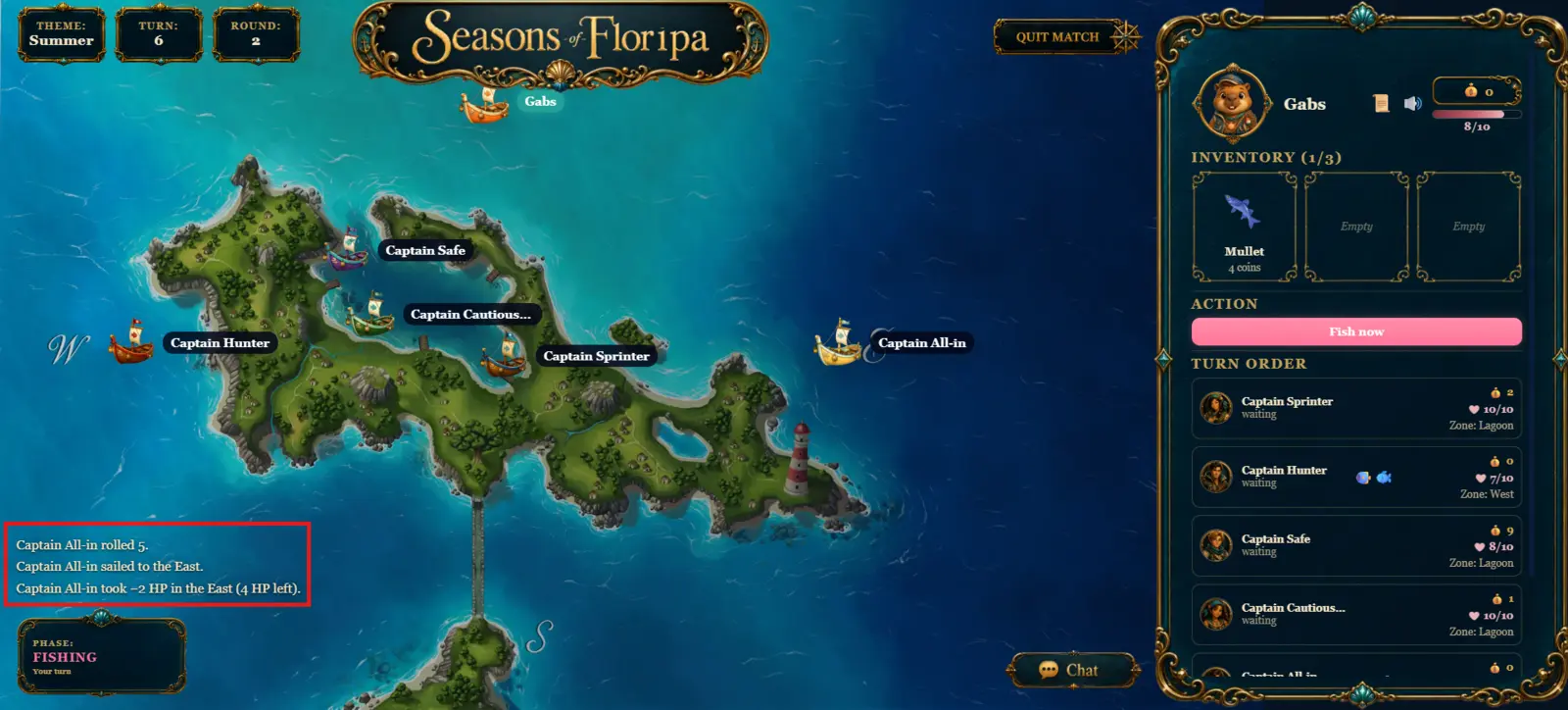
Waiting on someone else’s turn used to feel like the game froze your screen. Spectator presentations are now non-blocking: the map and HUD stay visible, and quieter outcomes show up as short event lines instead of full-screen takeovers.
What you see
- Movement rolls, hazards, and repairs from other captains appear in the event broadcast feed — text lines on the left, no modal blur.
- Catch and battle still open as readable overlays for spectators, but without locking the map or sidebar.
- When it is your turn, you still get the full modals you already know.
Toggle the feed
Event broadcast starts on. Use the scroll icon next to sound in the sidebar header to turn it off — then feed-eligible events stay quiet. Catch and battle overlays for other captains still appear when you need them.